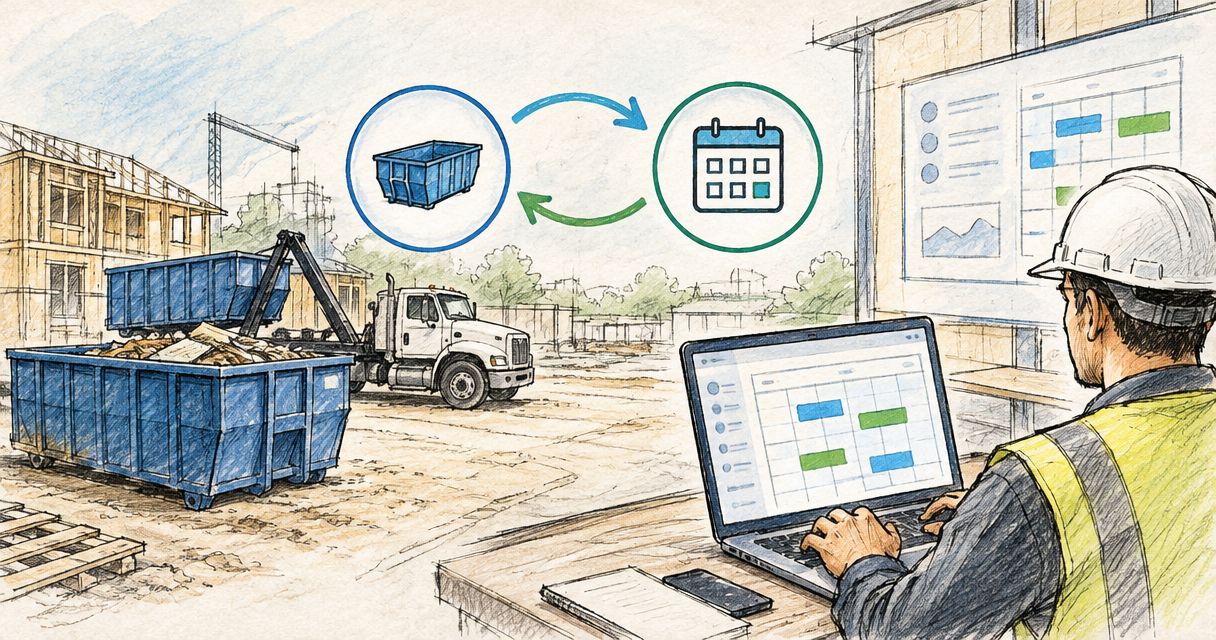

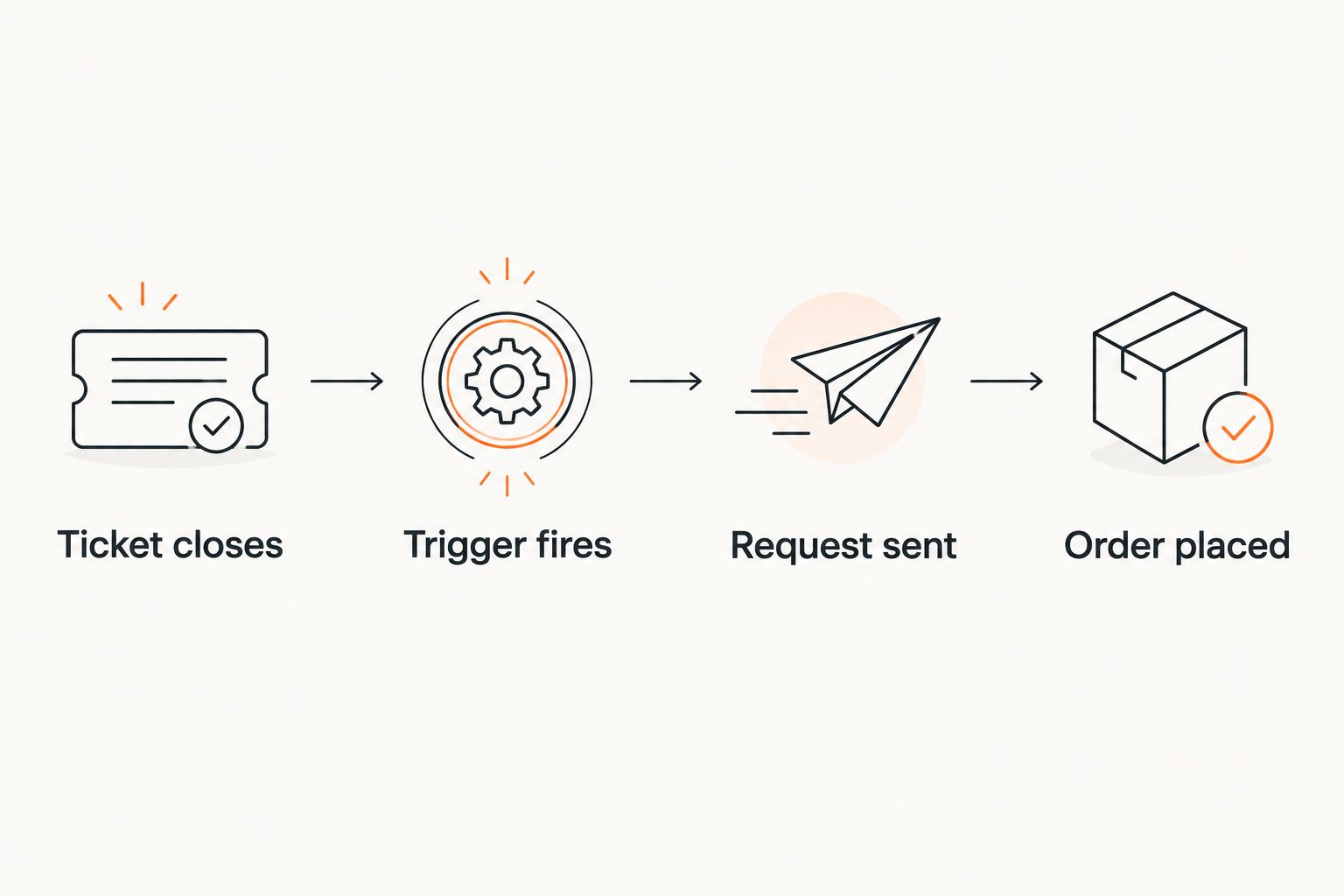
A restroom service ticket closes on a Friday afternoon, nobody flags the next order, and Monday morning the crew shows up to a job site with no working facility until someone remembers to make a call. An automatic restroom reorder workflow closes that gap: closing the ticket becomes the trigger that starts the next order, not a task someone has to remember.
- An automatic restroom reorder workflow ties a job site's ticket-closed status to an outgoing order request, so the next unit or service call fires without anyone remembering to call it in.
- Zapier, or the automation rules already built into Buildertrend, Procore, ServiceTitan, or Jobber, can watch for a closed ticket and route the reorder request within a minute.
- Map the trigger to a Completed status, not the first Closed flag: some tools close a ticket before the crew confirms final unit count on site.
- Valley Services still fills every order by phone at (408) 297-5404 in 2026. The automation removes the manual step of remembering to call, not the call itself.
- Job sites running restrooms and holding tanks on the same rotation should pair this trigger with a pump-out automation so neither service falls through.
Why this matters
A missed restroom swap is not a scheduling inconvenience. A general contractor coordinating restroom rental, containers, and fencing through Valley Services is also working against OSHA's construction sanitation standard, 29 CFR 1926.51, which sets a minimum facility count that scales with crew size starting at one facility for crews up to 20 workers. A job site that runs short for even a day is out of compliance the moment the old ticket closes and the next order does not go in.
Property managers and general contractors running more than two or three active sites in 2026 hit the same failure mode: restroom orders live inside a ticketing system as one line among dozens, and the person tracking closures from memory eventually misses one. An automated trigger does not forget a Friday closure or a long weekend.
The fix is not new software. It is a rule inside the automation tool you already run, pointed at a status field you already update.

Before you start
- A ticketing or work order tool where each restroom service call is logged with a status field, such as Buildertrend, Procore, ServiceTitan, or Jobber. A spreadsheet with a status column works too, as long as it can fire a Zap on a cell change.
- A Zapier account, or the native automation rules already built into your ticketing tool, connected to a shared email inbox or an SMS number your dispatcher checks.
- Site address and unit count populated on every ticket. If those fields sit blank, the trigger fires but the reorder request lands with nothing useful in it.
- The gotcha: map the trigger to a status like Completed or Verified, not the first Closed flag some tools apply automatically when a technician marks a visit done. A ticket that closes before the crew confirms final headcount on site triggers a reorder for a unit count that already changed.
Set up your ticket-closed trigger
- In Zapier, choose your ticketing tool as the Trigger app. If restroom orders already move through Buildertrend, the setup mirrors connecting rental orders to your Buildertrend schedule for containers, applied to restroom line items instead.
- Select the trigger event, usually Ticket Status Updated or Work Order Updated.
- Add a filter step: status equals Completed (or your tool's final-confirmation status) and service type or tag equals Restroom or Portable Restroom.
- Test the trigger against a ticket you closed this week to confirm it fires and pulls the site address, unit count, and next service date fields correctly.
Expected result: closing a restroom ticket in your tool fires the Zap within a minute, carrying the site address, current unit count, and last service date into the next step.
Route the reorder request
- Add an Action step: Send Email or Send SMS, depending on how your dispatcher works.
- Map the ticket fields into the message body: site address, unit count, contract type (weekly service or event rental), and the date the next order needs to land.
- Set the destination to a shared dispatch inbox or the specific person who calls in orders, not an individual inbox that goes unchecked on Fridays.
- Add a line in the message template with the number to call, (408) 297-5404, so whoever receives the alert can place the order without hunting for it.
Expected result: a formatted reorder request lands in the inbox or phone the moment the ticket closes, with everything the caller needs to place the order in one call.
That message should read like a dispatch note, not a data dump: address, unit count, service date, done. Anyone on the team should be able to place the order from it without opening the ticketing tool again.
Confirm the order window before the crew leaves
- Add a Delay step of a few hours, or schedule the alert for end of shift, so the request reflects the final headcount on site rather than a mid-day snapshot.
- Cross-check the unit count against current crew size before the order goes out. A site that added five workers this week needs more than a one-for-one swap.
- Route weekend and holiday closures to a next-business-day flag if delivery does not run those days, so dispatch is not chasing a same-day request that cannot be filled anyway.
Expected result: the reorder request that lands with dispatch reflects crew count and schedule as of end of day, not the moment the first technician marked the ticket done.
“Close the ticket before the crew confirms unit count, and the automation reorders for a headcount that already changed.”
Trigger a reorder when crew headcount changes
Ticket closures are not the only signal worth automating. Job sites where crew size swings, seasonal builds, multi-phase projects, subcontractor rotations, benefit from a second trigger tied to headcount fields instead of ticket status.
- Add a second Zap watching the crew count or labor field in your scheduling tool.
- Set a threshold: a jump past 20 workers on site triggers a restroom count review, in line with OSHA's per-crew facility ratio.
- Route that alert to the same dispatch inbox used for ticket closures, so one person handles both signals instead of two disconnected processes.
Sites running restrooms and holding tanks on the same rotation should also look at automatically scheduling holding tank pump-outs tied to tank level instead of a calendar guess. Same logic, different sensor.
Troubleshooting
- Reorder requests land with a blank site address. The ticket field mapping broke, usually after a tool update changed a field name. Re-map the address field in the Zap and re-test.
- Duplicate requests fire for the same site on the same day. Multiple tickets closing for one site, one per unit, each trigger separately. Add a filter that groups by site address and caps the alert to one per day.
- The trigger never fires. Confirm the status you filtered on matches exactly what the ticketing tool writes, including capitalization. Completed and completed read as different strings to most automation tools.
- Weekend closures generate same-day requests nobody can fill. Add a day-of-week filter that routes Friday-afternoon-through-Sunday closures to a Monday delivery flag instead of an urgent alert.
- Crew count changes don't reach the second trigger. Confirm the labor or headcount field is one your scheduling tool updates in real time, not a field only touched at project kickoff.
Customize your workflow
Once ticket-closed and headcount triggers are running, extend the same pattern to service frequency. Long-term job sites on monthly restroom service can add a third trigger tied to the calendar itself, a standing reorder every 30 days that only needs a human override when site headcount changes.
Check the ratio you are automating against OSHA sanitation requirements for job site restrooms before setting your headcount threshold. Crew size and unit count are not a single number across every job type, and Valley Services fields sizing questions by phone before you lock a threshold into an automation.
Confirm sizing before you automate
Valley Services fills every restroom order by phone. Call before you lock a threshold.
FAQ
What triggers an automatic restroom reorder on a job site?
A status change on a service ticket, usually a move to Completed or Verified in a tool like Buildertrend, Procore, ServiceTitan, or Jobber, starts the automation. The trigger fires an outgoing reorder request instead of waiting for someone to remember the next call.
Can Zapier place a restroom order automatically?
Zapier can send the reorder request automatically, but it cannot place the order itself. Valley Services fills every order by phone at (408) 297-5404 in 2026, so the automation starts the request and a person finishes the call.
What's the difference between a Closed and a Completed ticket status?
Closed often fires the moment a technician marks a visit done, before the crew confirms final unit count for the day. Completed or Verified statuses usually reflect the confirmed end-of-day state, which is the safer trigger for a reorder automation.
How many restrooms does a construction crew need?
OSHA's construction sanitation standard, 29 CFR 1926.51, sets a minimum of one facility for crews up to 20 workers, with the count scaling up as crew size grows. Job sites should recheck the count whenever headcount changes materially.
What if my ticketing tool doesn't have a restroom-specific service type?
Use a tag or a custom field instead of a built-in service type. Most automation tools can filter on any field value, not just a predefined category, so a tag like 'restroom' works the same as a native field.
How fast does the reorder message need to reach dispatch?
Within the same shift the ticket closes, ideally end of day once headcount for the day is confirmed. A same-hour alert on a mid-day closure risks ordering against a headcount that changes before the crew leaves.
Can this same automation work for holding tank service?
Yes, with a tank-level or usage trigger instead of a ticket-closed trigger. The setup for automatically scheduling holding tank pump-outs follows the same pattern: a sensor or field change starts the request, a person places the call.
Does this replace calling Valley Services to place an order?
No. The automation removes the step of remembering to call. Every order for restrooms, containers, or fencing at 1611 S 7th St in San Jose still goes through a phone call to (408) 297-5404.
One last thing
The highest-value trigger is not the one that fires most often, it's the one nobody has to remember. Test the Completed-status filter on a single site for two weeks before turning it on across a portfolio in 2026: an automation that misfires on unit count is harder to trust back than one built slow and confirmed first.